Set it. Start it. Just go.
Lapwing is a running timer app for iPhone that tells you when to run and when to walk. You pick the intervals, tap start, and stop doing sums in your head. Afterwards you get your route, your splits and your week, all without making an account.
How do I set run and walk intervals?
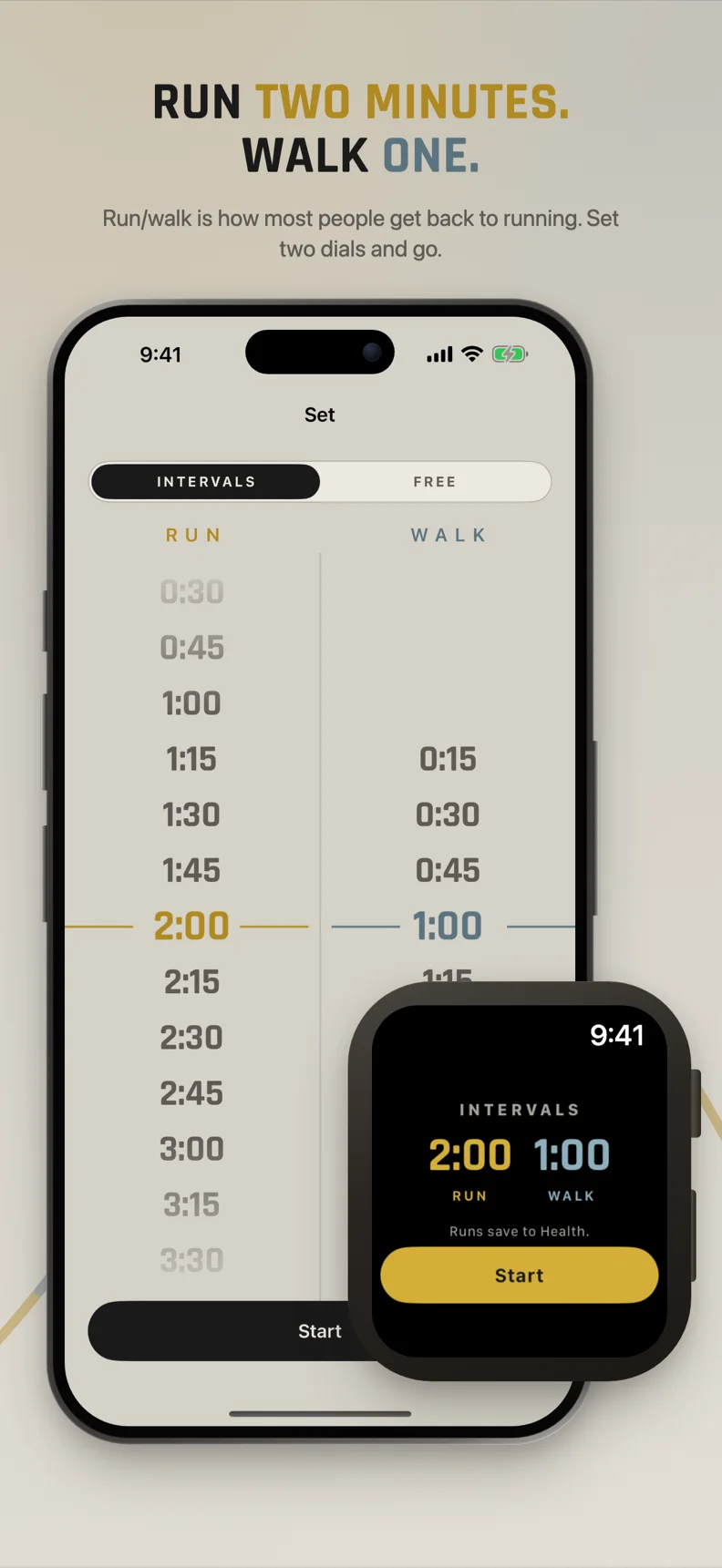
Choose how long to run and how long to walk on two dials, then tap start. That is the whole setup.
- One dial for run, one for walk. For example, 2:00 run and 1:00 walk.
- Prefer to run without a timer? Switch to free mode for an untimed run.
- Both modes, intervals and free, are included at no cost.
Not sure what to pick? The Run/Walk Guide has plain starting points for beginner running intervals.
What happens during a run?
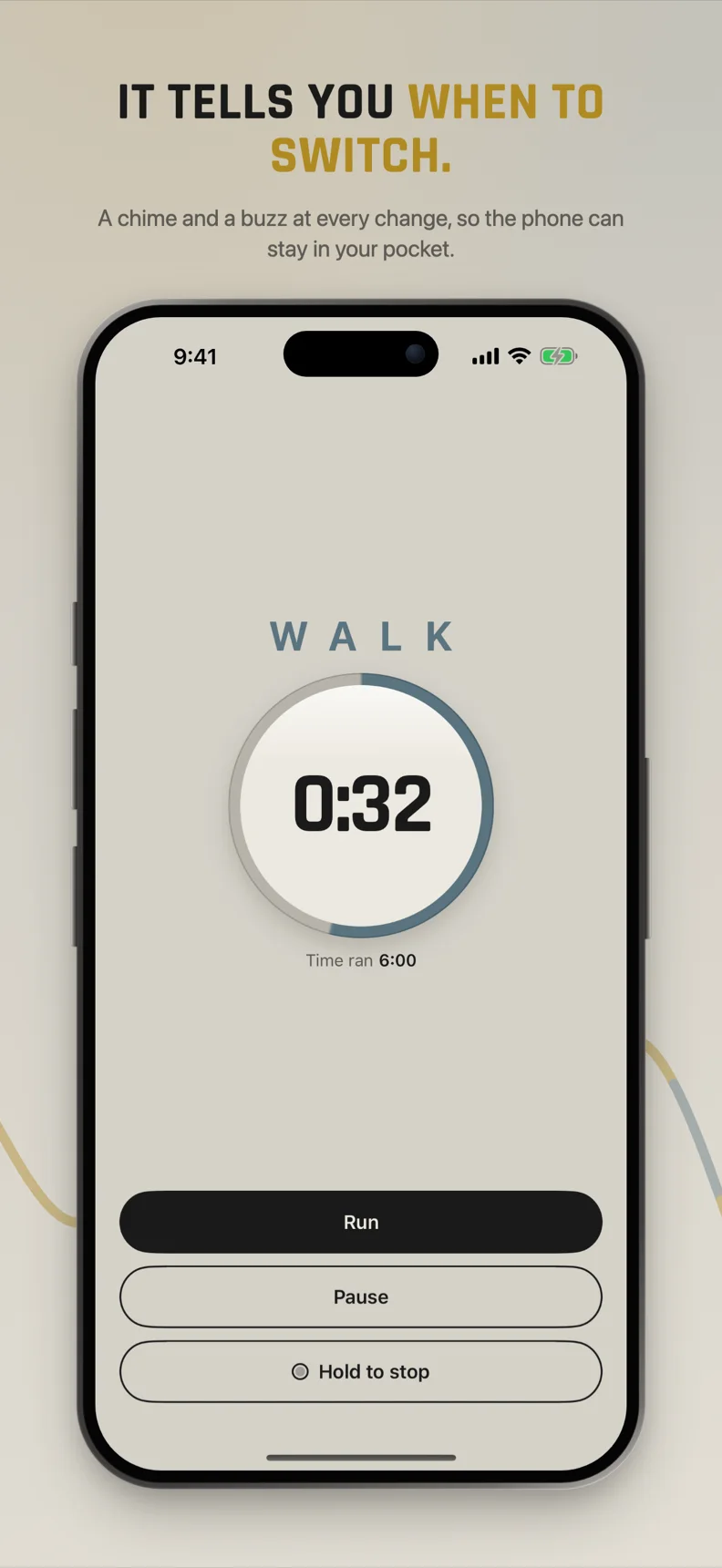
Lapwing counts down the current interval and tells you when it is time to switch, so you can keep your eyes on the path instead of your watch.
- A clear countdown for whatever you are doing right now.
- Obvious run and walk states, so a glance is enough.
- Your route, distance and pace are tracked as you go.
Nobody is watching. No feed, no sign-up, no ads.
Can I see where I ran and where I walked?
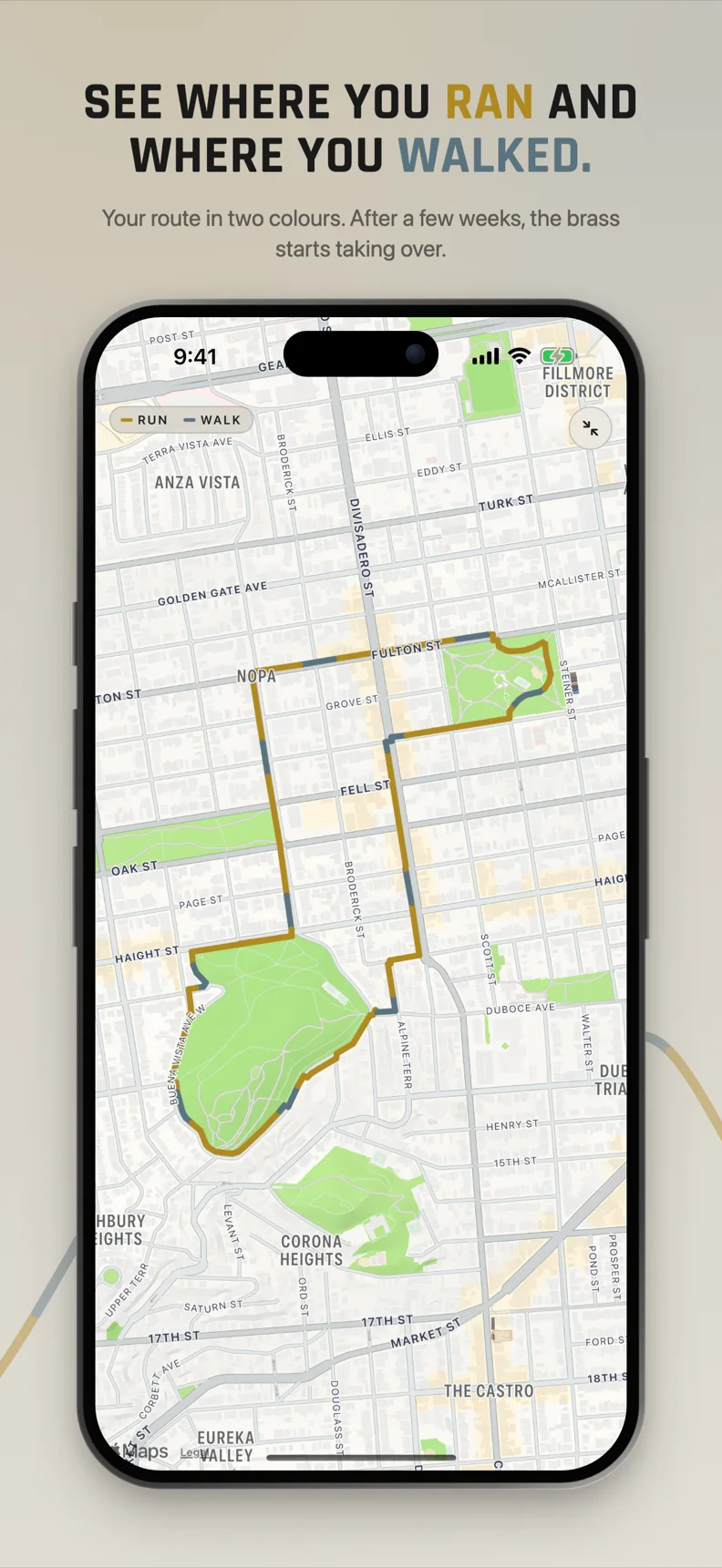
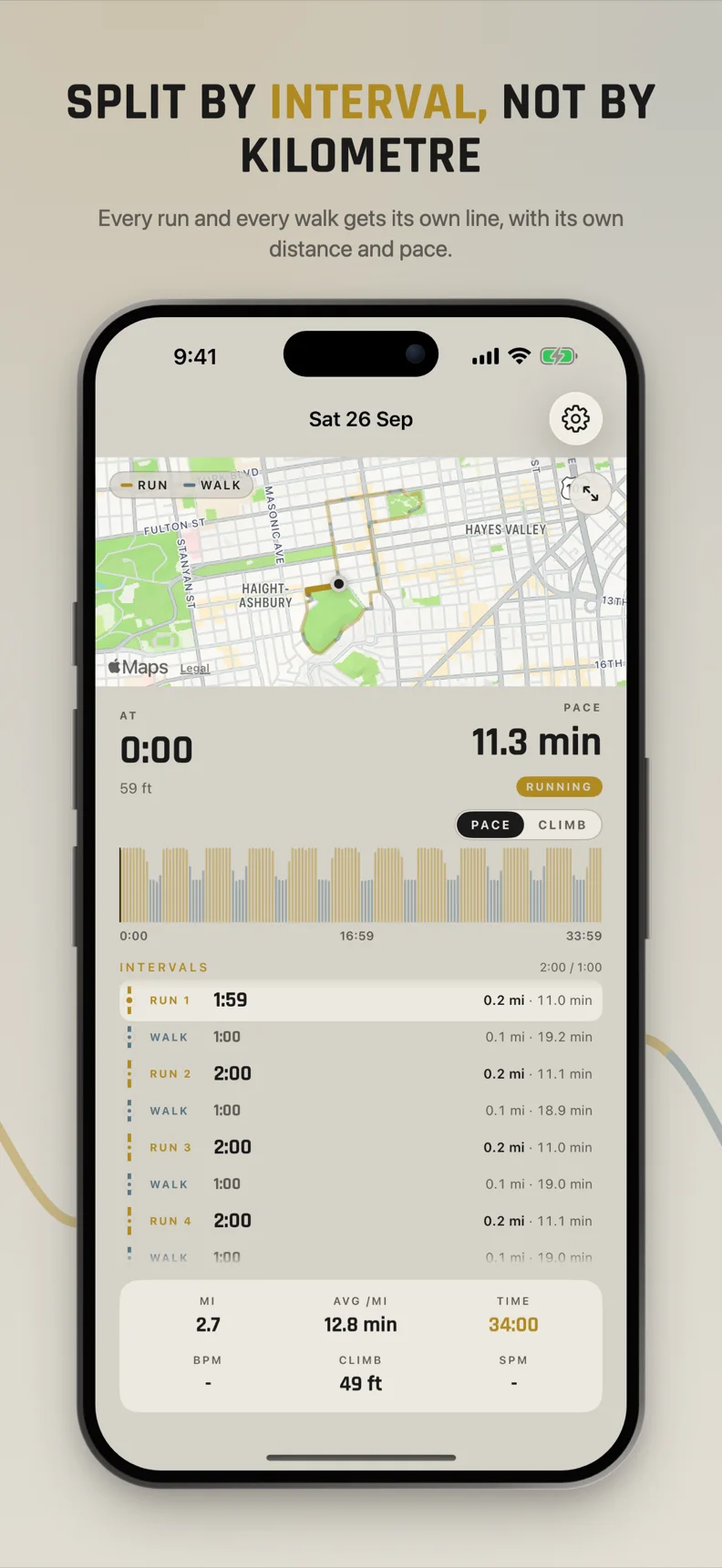
Yes. When you finish, Lapwing shows a map of your route with running sections in brass and walking sections in steel.
- Route map, distance and pace on every run, free.
- See at a glance how the run and the walk shared the route.
- Export any run as a file whenever you like.
How are my interval splits shown?
Every run is broken down interval by interval, with the distance and pace for each one.
- Interval splits on every run, on the free tier.
- Compare your run sections and walk sections side by side.
- Free keeps your three most recent runs. Lifetime keeps every run you have ever done.
How do I track my running progress?
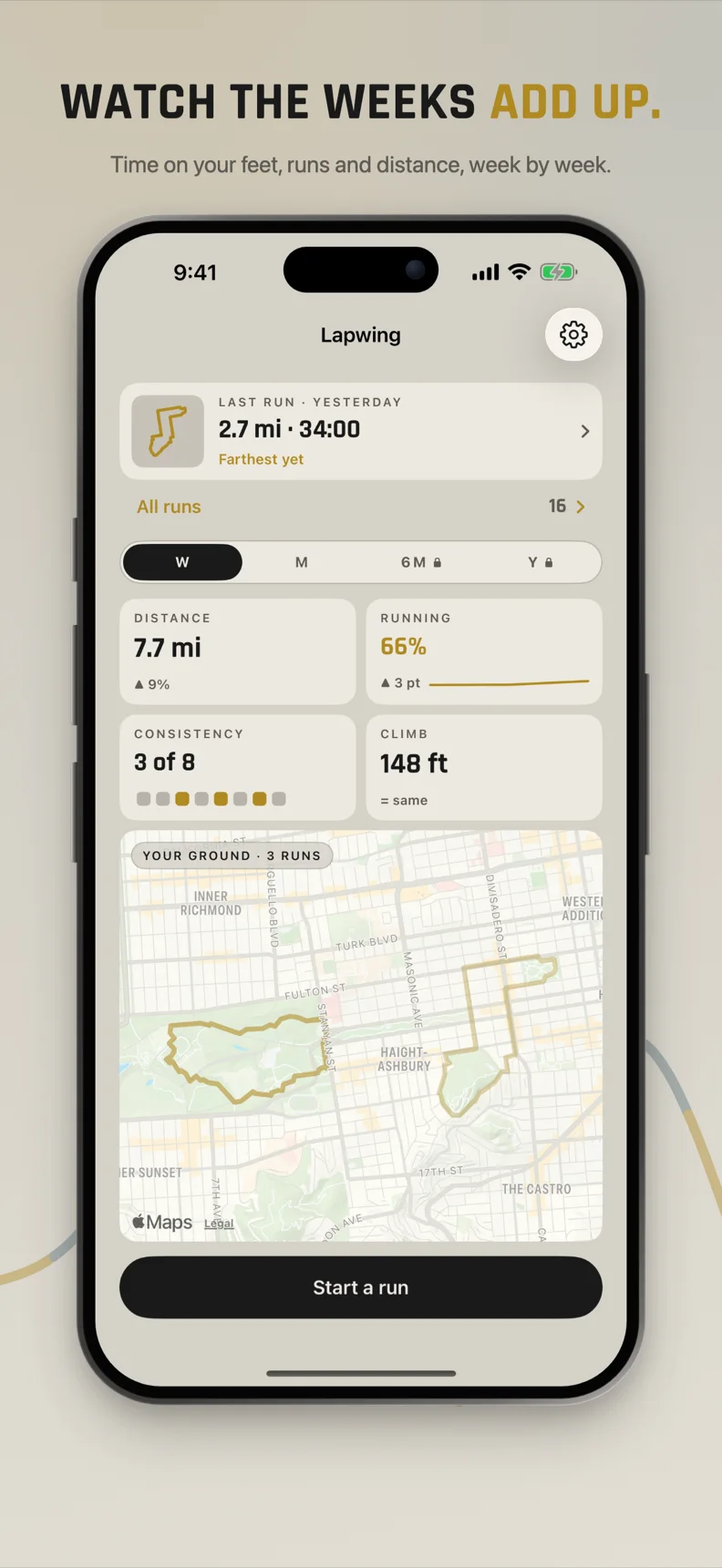
The home dashboard shows your weekly distance, consistency and climb, plus a map of every route you have run.
Week and month
Week and month dashboards, with a map of every route.
Six month and year
Adds six month and year dashboards for the longer view.
Does Lapwing work on Apple Watch?
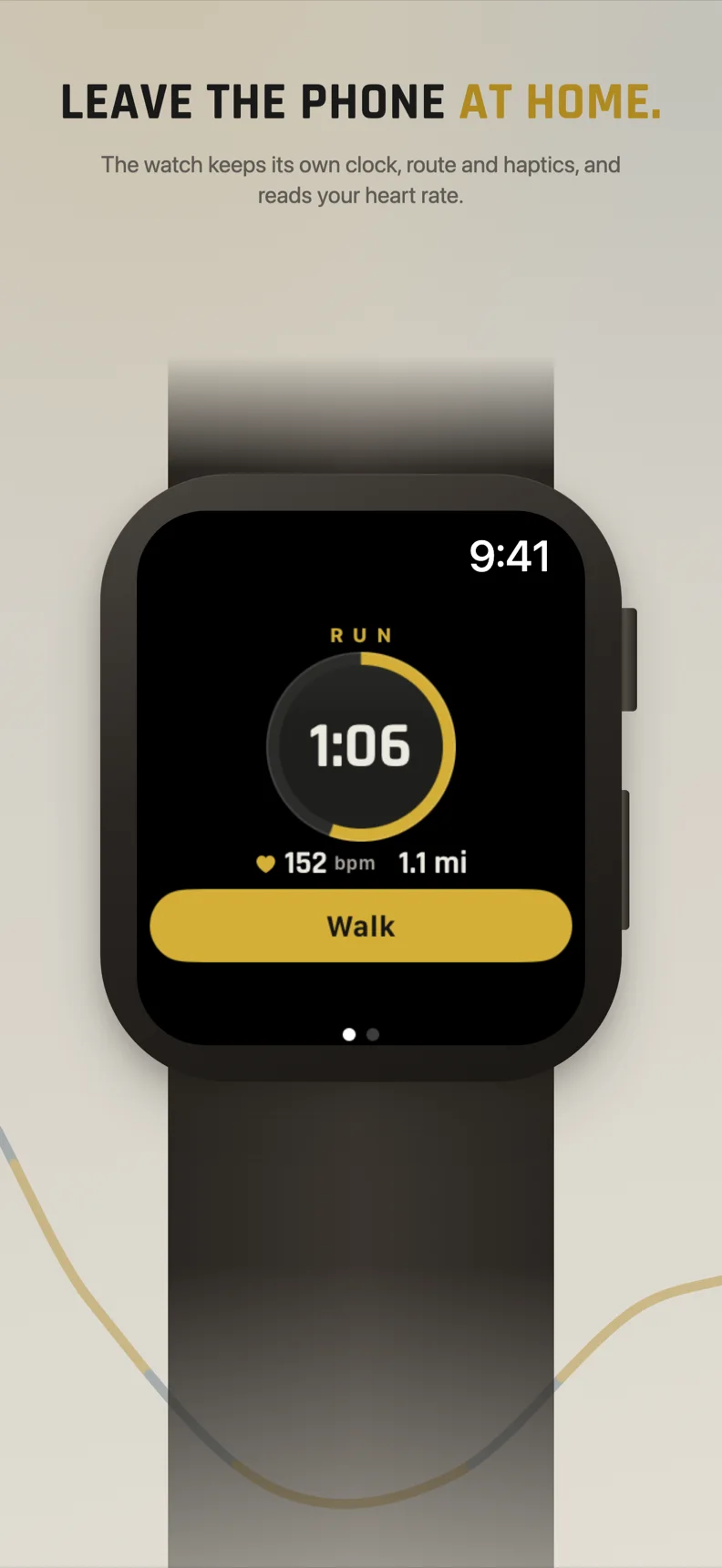
The Apple Watch app, with heart rate, is part of the Lifetime unlock: one payment of $4.99, not a subscription.
- The Apple Watch app, with heart rate.
- iCloud sync across your devices.
- Every run you have ever done, plus six month and year dashboards.
- Everything in Free, unchanged.
Frequently asked questions
Do I need an account to use Lapwing?
No. Lapwing has no account, no trial and no ads. Download it and start a run.
How much does the Lapwing running timer cost?
Lapwing is free to use, including both interval and free modes, route maps and interval splits. The optional Lifetime unlock is $4.99, paid once, not a subscription.
Which devices does Lapwing run on?
Lapwing runs on iPhone with iOS 26 or later, in portrait. There is no iPad app.
How many runs does the free version keep?
The free tier keeps your three most recent runs. The Lifetime unlock keeps every run you have ever done, and you can export any run as a file on either tier.
Can I run without timed intervals?
Yes. Free mode lets you go for an untimed run, while still tracking your route, distance and pace.
That is all there is to it. Go for a run.
Free to start, no account. Set two dials, tap start, and let Lapwing keep time.